
9 Free SEO Tools Every Small Business Should Be Using in 2026

You do not need a $500-a-month SEO platform to rank in 2026. What you need is the right combination of free tools, used consistently and with a clear system behind them.
Most small businesses fall into one of two traps: they either pay for enterprise-grade SEO software they use 10% of, or they skip the tools entirely and wonder why their content disappears into page four. Both are expensive mistakes one costs money, the other costs visibility.
By the end of this post, you will know exactly which nine free SEO tools to use, what each one does that others do not, and how to connect them into a working system rather than a pile of browser bookmarks you check once a quarter.
What Free SEO Tools Can Actually Do for a Small Business
Free SEO tools are not watered-down versions of paid platforms. Several of the most powerful data sources in search including Google’s own infrastructure are available at no cost. What they lack is aggregation and automation. Paid tools bundle everything into one dashboard. Free tools require you to know what to pull from where.
That is a skills gap, not a tools gap. Once you understand which tool serves which function, a fully free SEO stack covers keyword research, technical auditing, rank tracking, backlink analysis, content optimisation, and performance measurement. The nine tools below map directly to those functions.
The 9 Free SEO Tools Worth Using in 2026
1. Google Search Console
Google Search Console is the single most important SEO tool available to any website owner — and it is completely free. It is built and maintained by Google, which means the data it provides comes directly from the source: the search engine deciding whether your pages rank.
What it does that others cannot: Search Console shows you the exact queries people used to find your site, the pages those queries landed on, your average position, click-through rate, and impressions. No third-party tool estimates this — this is live data from Google’s index.
For small businesses, the most valuable feature is the Coverage report. It identifies pages Google has crawled but not indexed, pages with errors, and pages excluded from the index for reasons you may not be aware of. If a page is not indexed, it cannot rank, regardless of how well-optimised it is.
The Core Web Vitals report is equally critical heading into 2026. Google uses page experience signals — loading speed, interactivity, visual stability — as ranking factors. Search Console surfaces exactly which pages are failing these thresholds and why.
Set it up on day one. Check it weekly. Everything else in this list feeds into or supplements what Search Console tells you. For a deeper look at how AI is changing the way Google surfaces content, Tabula’s guide on how AI is changing SEO breaks down what that means for small business visibility in 2026.
2. Google Analytics 4 (GA4)
SEO without traffic analysis is navigation without a destination. Google Analytics 4 is the free platform that tells you what happens after a visitor arrives — which pages they read, how long they stay, where they drop off, and whether they convert.
What makes GA4 essential in 2026: GA4’s event-based tracking model captures user behaviour in far more granular detail than its predecessor, Universal Analytics. You can track specific scroll depth, button clicks, form submissions, and video plays without writing custom code — using Google Tag Manager alongside it.
For small businesses running content marketing, GA4 reveals which blog posts drive traffic that actually converts versus content that gets reads but no action. That distinction shapes your entire content investment. Pairing GA4 data with Search Console data gives you the full picture: Search Console shows what brought people to the page; GA4 shows what they did once they arrived.
Connect both to the same Google account and link them in the GA4 property settings to pull Search Console data directly into your Analytics dashboard.
3. Google Keyword Planner
Keyword Planner is Google’s native keyword research tool, originally designed for Google Ads users. It is free to access with a Google Ads account — you do not need to run any paid campaigns to use it.
The key advantage over third-party tools: Keyword Planner pulls directly from Google’s search data. Volume estimates are sourced from the same infrastructure that powers Google Ads, which means they reflect actual search behaviour rather than third-party modelling. For local and niche keywords with lower search volumes — common for small businesses — this accuracy matters significantly.
Use it to validate keyword ideas before committing to content production. Enter a topic or URL and it returns related keywords, monthly search volume ranges, competition levels, and seasonal trends.
One underused feature: enter a competitor’s URL and Keyword Planner surfaces the keywords Google associates with their site. That is a direct window into which terms your competitors are targeting and where gaps exist.
4. Ubersuggest (Free Tier)
Ubersuggest, built by Neil Patel, offers a generous free tier that gives small businesses access to keyword research, competitive analysis, site auditing, and backlink data — all within a single interface.
Where it earns its place in a free stack: The free tier allows three daily searches, which is sufficient for a small business conducting targeted keyword research rather than bulk scraping. Each keyword search returns search volume, SEO difficulty, paid difficulty, and cost-per-click data, alongside a content ideas section that surfaces the most-shared and highest-ranking content for that keyword.
The site audit feature is particularly valuable. Enter your domain and Ubersuggest crawls up to 150 pages, flagging issues including broken links, missing meta descriptions, slow-loading pages, and pages with duplicate content. For small business websites with limited technical resource, this surfaces the highest-priority fixes without requiring a developer to run a manual crawl.
5. Ahrefs Webmaster Tools (Free)
Ahrefs is widely considered one of the most authoritative backlink databases in SEO. The paid platform starts at $99 per month. Ahrefs Webmaster Tools is the free version — and it provides verified-site access to site auditing and backlink analysis that most small businesses would otherwise pay substantially for.
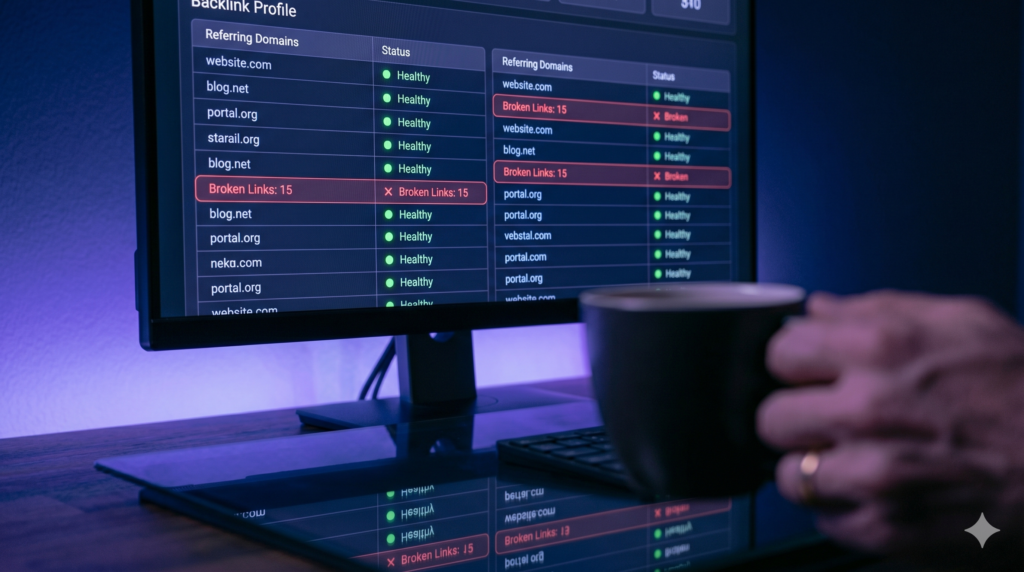
What the free tier includes: After verifying ownership of your domain via Google Search Console or DNS record, Ahrefs Webmaster Tools runs a full site crawl and surfaces technical SEO issues across four categories: critical errors, warnings, notices, and redirects. It also provides access to your backlink profile — every linking domain, the anchor text used, and the referring page’s URL rating.
For small businesses, the backlink data alone justifies the setup time. Understanding who links to you, which pages attract the most links, and what anchor text patterns exist across your profile is essential for building a link acquisition strategy.
One practical use case: use Ahrefs Webmaster Tools to identify broken inbound links pointing to your site (404 errors) and redirect them to relevant live pages. These are link equity gains that cost nothing to capture.
6. Screaming Frog SEO Spider (Free Version, Up to 500 URLs)
Screaming Frog is a desktop-based website crawler used by SEO professionals globally. The free version crawls up to 500 URLs — sufficient to audit most small business websites comprehensively.
What it does that browser-based tools miss: Screaming Frog mimics the way Google’s crawler reads your website. It pulls every URL, meta title, meta description, H1, canonical tag, response code, word count, and internal link structure into a single exportable spreadsheet. For small businesses doing a content audit or site restructure, this is the most efficient way to get a complete picture of what exists on the site and what needs fixing.
Key use cases for small businesses: identifying pages missing meta titles or descriptions, finding duplicate content at scale, auditing internal link distribution across the site, and locating redirect chains that slow down crawl efficiency.
7. AnswerThePublic (Free Searches)
AnswerThePublic visualises the questions, prepositions, comparisons, and related searches generated around any keyword — drawing directly from Google and Bing autocomplete data. The free tier allows a limited number of daily searches.
Why this belongs in a small business SEO stack: Most keyword tools show you volume and competition. AnswerThePublic shows you intent — specifically, the exact language real people use when they have a question related to your topic. That distinction is critical for content optimised for AI Overviews and featured snippets in 2026.
Google’s AI Overview system pulls answers from content that mirrors the natural language of search queries. A page that answers “how do I know if my SEO is working” in the exact phrasing a user would search for has significantly higher AI Overview eligibility than a page that covers the same topic in formal, generalised language.
Use AnswerThePublic to generate FAQ sections, H3 subheadings, and supporting section topics for any pillar content you produce. For more on how to structure content for AI discoverability, Tabula’s guide to GEO and SEO for small businesses covers the 2026 optimisation signals in detail.
8. PageSpeed Insights
Page speed is a confirmed Google ranking factor. PageSpeed Insights, Google’s free tool, analyses any URL against Core Web Vitals thresholds and returns a performance score alongside specific, prioritised recommendations for improvement.
What it measures: PageSpeed Insights scores pages on four Core Web Vitals: Largest Contentful Paint (LCP), Interaction to Next Paint (INP), Cumulative Layout Shift (CLS), and First Contentful Paint (FCP). Each metric has a threshold for “good,” “needs improvement,” and “poor” — and Google uses these signals as ranking inputs for both mobile and desktop results.
For small businesses, the most actionable section is the Opportunities panel. It tells you specifically which resources are slowing your page — unoptimised images, render-blocking JavaScript, unused CSS — and estimates the potential time saving from fixing each. A developer or technically capable business owner can work through these recommendations methodically without needing a performance specialist.
Run PageSpeed Insights on your five highest-traffic pages. Fix the Opportunities flagged as High Impact first. Repeat quarterly. The performance gains compound over time and directly affect both rankings and conversion rates — research from Google consistently shows that page speed improvements reduce bounce rates and increase session depth.
9. Google Trends
Most small businesses treat Google Trends as a novelty rather than a strategic tool. That is a missed opportunity. Trends surfaces directional search interest data over time — not absolute volume, but relative momentum — which is uniquely valuable for timing content production and identifying emerging topics before they reach peak competition.
Three practical applications for small businesses:
First, seasonal planning. Google Trends shows when interest in your keywords spikes across the year. Publishing content six to eight weeks before peak search interest gives it time to index and build authority before the traffic surge arrives.
Second, topic validation. Before investing in a long-form piece, enter the target keyword into Trends. If interest has been declining for 12 months, that content will fight against a shrinking audience. If interest is rising, early publication captures the upward trajectory.
Third, competitive keyword discovery. The “Related Queries” section at the bottom of each Trends result surfaces breakout terms — keywords with rapidly rising search interest. These represent high-opportunity, lower-competition targets before volume data catches up in traditional keyword tools.
How to Turn These 9 Tools Into a Working SEO System?
Nine separate tools used in isolation produce nine separate data points. Used as a connected system, they tell a coherent story about your site’s performance, your audience’s intent, and your competitive position.
The foundation is Search Console and GA4, running permanently in the background. These two tools provide the baseline data against which every other decision is measured. Keyword Planner and AnswerThePublic inform content production — what to write and in what language. Ubersuggest and Ahrefs Webmaster Tools surface technical and backlink gaps. Screaming Frog audits site structure at scale. PageSpeed Insights monitors performance. Google Trends times the calendar.
The missing element for most small businesses is not the tools. It is the system that connects them. Knowing which tool to check, when, and what action to take from the data is the difference between SEO activity and SEO progress. If you want to understand what a connected AI marketing system looks like for an SMB operating without an in-house SEO team, Tabula’s breakdown of AI marketing for small businesses outlines what that infrastructure looks like in practice.
Frequently Asked Questions
Are free SEO tools good enough for a small business?
Yes. The nine tools in this list cover every core SEO function a small business needs: keyword research, technical auditing, rank tracking, backlink analysis, performance measurement, and content planning. The gap between free and paid tools is automation and aggregation, not data access. For businesses producing fewer than eight to ten pieces of content per month, a free stack is entirely sufficient.
How often should a small business check its SEO tools?
Search Console and GA4 warrant a weekly review of core metrics: impressions, clicks, average position, and conversion events. PageSpeed Insights and Screaming Frog should be run quarterly or after any significant site changes. Keyword research tools should be used at the content planning stage, typically monthly or per campaign cycle.
What is the difference between Google Search Console and Google Analytics?
Search Console shows how your site performs in Google search: which queries trigger your pages, how often they are clicked, and which pages have indexing or technical issues. Google Analytics shows what happens after the visit: which pages users read, how long they stay, which sources drive the most traffic, and whether visitors complete desired actions. Both are essential and serve different functions within the same measurement system.
Do I need all 9 tools or just some of them?
Start with Search Console, GA4, and Keyword Planner. These three form the minimum viable SEO measurement and research stack. Add Ahrefs Webmaster Tools and Screaming Frog when you are ready to address technical and backlink issues. Bring in Ubersuggest, AnswerThePublic, PageSpeed Insights, and Google Trends as your content programme scales and you need deeper data to prioritise decisions.
Is SEO still worth it for small businesses in 2026?
Yes, and more specifically, GEO-optimised SEO is worth it — content structured to rank in both traditional search results and AI-generated answers. AI Overviews now appear above organic results for a significant share of queries. Small businesses that structure their content for AI discoverability capture visibility at a point in the funnel where intent is already established. The investment case for organic search has not weakened; the technical requirements have shifted.
Good SEO does not require an agency retainer or a platform subscription. It requires the right data, used consistently, connected to a clear production and optimisation process.
The nine tools above give you that data for free. What you build with it determines whether your site compounds its authority over 12 months or stays exactly where it is today.
If you want to see how a complete AI marketing system — including SEO infrastructure — is built for an SMB without an in-house marketing team, explore how Tabula approaches it here.
Every page you publish without a keyword strategy and a technical foundation is a page that works against you. These tools exist so that never has to happen.
READY TO BUILD AN SEO SYSTEM THAT ACTUALLY GROWS YOUR BUSINESS?
Free tools are the starting point. A connected system is what produces results.
Tabula builds AI-powered marketing systems for small businesses — including SEO infrastructure that runs without an agency or a full-time hire.